
Financisto - Personal Finance Tracker1.8.2 - Get APK
You'll be able to download in few seconds.
Publisher Description
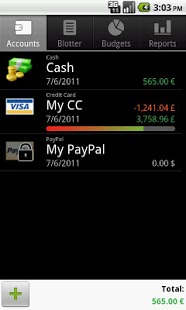
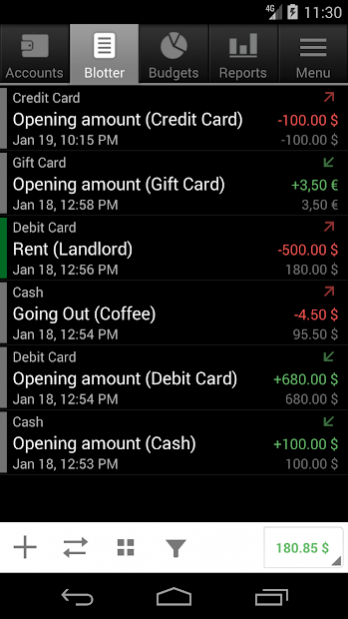
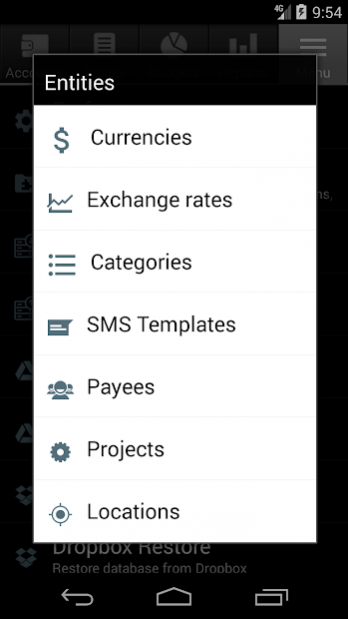
Open-source personal finance tracker.
- Multiple accounts, multiple currencies
- Home currency and exchange rates
- Transfers with downloadable rates
- Scheduled & recurring transactions
- Split transactions
- Hierarchical categories with custom attributes
- Recurring budgets
- Projects and payees
- Filtering and reporting
- Cloud backup (Dropbox, Google Docs)
- Automatic daily backups
- QIF/CSV import/export
*WARNING*
Please DO BACKUP before upgrade!
Please DO NOT move Financisto to SD card if you're using the widget and/or scheduled transactions.
*PERMISSIONS*
GET_ACCOUNTS/USE_CREDENTIALS - For backup on Google Drive
INTERNET - for downloading currency rates in multi-currency transfer; to do online backup to Dropbox and Google Docs;
CAMERA - to attach pictures to transactions.
*FAQ*
Q: Why currency XYZ is missing?
A: You can add any currency manually. Go to Menu -> Entities -> Currencies -> [+]
Q: How to delete account/transaction/balance etc?
A: Long tap on an item in the list to bring up popup menu
Q: Shortcuts do not work on Home screen
A: Try to restart your phone, it helps with most of the launchers out there
About Financisto - Personal Finance Tracker
The company that develops Financisto - Personal Finance Tracker is Denis Solonenko. The latest version released by its developer is 1.8.2.
To install Financisto - Personal Finance Tracker on your Android device, just click the green Continue To App button above to start the installation process. The app is listed on our website since 2019-12-02 and was downloaded 0 times. We have already checked if the download link is safe, however for your own protection we recommend that you scan the downloaded app with your antivirus. Your antivirus may detect the Financisto - Personal Finance Tracker as malware as malware if the download link to ru.orangesoftware.financisto is broken.
How to install Financisto - Personal Finance Tracker on your Android device:
- Click on the Continue To App button on our website. This will redirect you to Google Play.
- Once the Financisto - Personal Finance Tracker is shown in the Google Play listing of your Android device, you can start its download and installation. Tap on the Install button located below the search bar and to the right of the app icon.
- A pop-up window with the permissions required by Financisto - Personal Finance Tracker will be shown. Click on Accept to continue the process.
- Financisto - Personal Finance Tracker will be downloaded onto your device, displaying a progress. Once the download completes, the installation will start and you'll get a notification after the installation is finished.
Program Details
System requirements
Download information
Pricing
Version History
version 1.8.2
posted on 2019-12-02
1.8.2
[+] Release new features and bug-fixes from the open-source contributors.
[*] Option for payee/project/location selector.
[*] Few more bugs to iron out, please bear with us.
version 1.8.1
posted on 2019-02-21
1.8.1
[*] Bug fixes and improvements
version 1.7.1
posted on 2016-04-28
My grandiose plan to migrate to Holo/Material Theme is taking too long unfortunately and I decided to fix the immediate issues with the new Android 6 devices.,1.7.1,[*] Restore software menu button,[*] Partially restore locations,1.7.0,[*] Fix Android 6.0 issues,[+] Add a new tab with all menu options for the devices without hardware menu button,[+] Add an option to automatically upload backups to Google Drive,[-] Removed support for locations, removed appropriate permissions as well
version 1.4.7
posted on 2011-04-23
Several fixes and updates
Disclaimer
External Download
We do not host Financisto - Personal Finance Tracker on our servers. We did not scan it for viruses, adware, spyware or other type of malware. This app is hosted by Galad and passed their terms and conditions to be listed there. We recommend caution when installing it.
The APK Download link for Financisto - Personal Finance Tracker is provided to you by apps112.com without any warranties, representations or guarantees of any kind, so access it at your own risk.
If you have questions regarding this particular app contact the publisher directly. For questions about the functionalities of apps112.com contact us.
